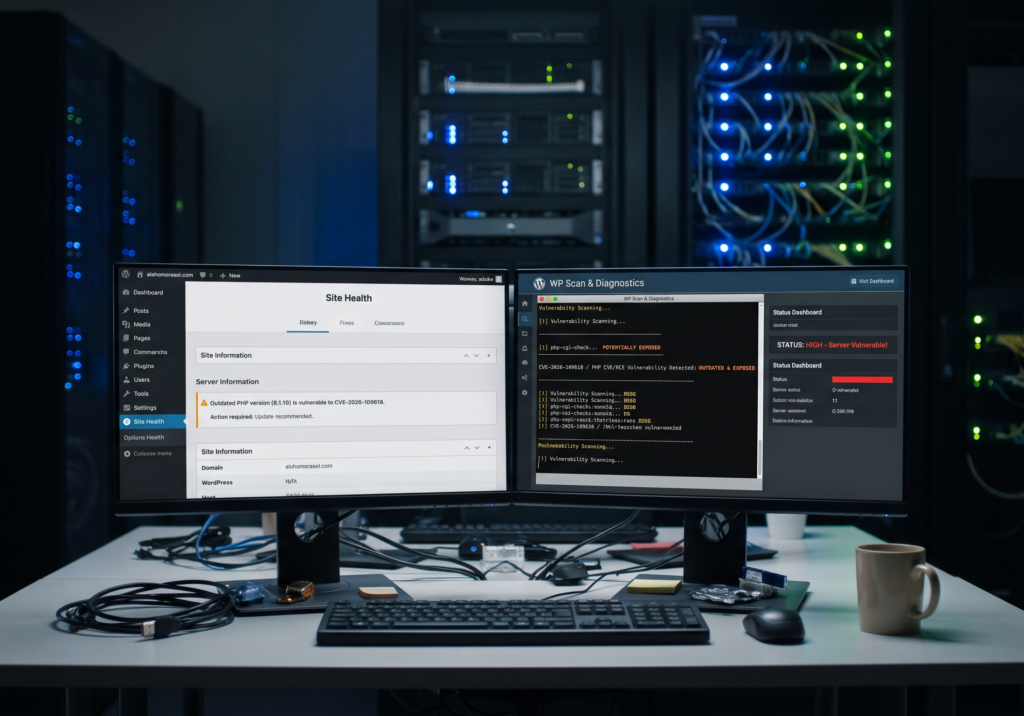
Is Your WordPress Website at Risk from the Latest PHP Security Bug?
Yes, your WordPress website may be at risk if its hosting server runs an affected PHP version. The PHP2Shell vulnerabilities can allow unauthenticated attackers to execute code on vulnerable servers. Updating WordPress alone does not fix a vulnerable PHP runtime. Website owners should confirm their PHP security patch status, check the hosting environment and investigate suspicious activity if the website may have been exposed.
What Is the Latest PHP Security Bug Affecting WordPress Websites?
Two critical PHP vulnerabilities, CVE-2026-109618 and CVE-2026-109619, are collectively known as PHP2Shell. The PHP Security Team released security updates for these vulnerabilities on 21 October 2026. They can allow attackers to execute code remotely on affected PHP installations without authenticating first.
WordPress uses PHP to process requests, run application logic and interact with databases. If the PHP runtime serving a WordPress website is vulnerable, the site may be exposed even when WordPress core, themes and plugins are fully updated.
There is also a separate vulnerability, CVE-2026-115560, for which additional guidance was published on 23 October 2026. Its exploitability depends on particular PHP configuration and application behaviour. The PHP2Shell security updates released on 21 October do not fix this separate issue.
Website owners should review the official PHP security advisories and confirm which updates apply to their hosting environment.
Why Could a PHP Vulnerability Affect Your WordPress Website?
WordPress security depends on both the website application and the server environment running it. A vulnerability in PHP can therefore affect a WordPress installation without requiring a vulnerable plugin or theme.
Your website may need further investigation if:
- Your hosting account runs a PHP version affected by the disclosed vulnerabilities.
- Your hosting provider has not confirmed that the relevant security fixes are installed.
- Your website uses an older PHP branch that no longer receives updates from the main PHP project.
- You manage a WordPress website on a VPS, dedicated server or cloud environment without regular security maintenance.
- Your hosting account runs additional PHP applications, scheduled scripts or separate PHP installations that have not been checked.
A vulnerable server does not automatically mean your website has been hacked. The level of risk depends on the PHP runtime, applicable patches, configuration and exposure. However, a potentially exposed server should be assessed promptly.
How Can You Check Whether Your WordPress Website Is Affected?
Check the PHP version assigned to your website and confirm whether the relevant security fixes have been applied.
1. Check the PHP Version in WordPress
Log in to your WordPress dashboard and navigate to Tools → Site Health → Info → Server.
Depending on your WordPress version and hosting configuration, this section may display the PHP version used by your website. Record the version so you can compare it with the official security guidance.
Remember that the displayed version is only a starting point. Some hosting providers and operating system vendors apply security fixes to their packages without changing the version number in the same way as the main PHP release. Ask your provider to confirm the actual patch status.
2. Check Your Hosting Control Panel
Sign in to your hosting dashboard and look for the PHP configuration section. It may be labelled PHP Selector, MultiPHP Manager or PHP Configuration, depending on the provider.
Confirm which PHP version is assigned to your specific domain. If your hosting account contains multiple websites, check each relevant domain separately.
For websites using containers, separate application environments or scheduled PHP scripts, ask your administrator to check those installations as well.
3. Confirm Whether the PHP2Shell Security Fixes Are Installed
The PHP project released the following fixed versions for CVE-2026-109618 and CVE-2026-109619 on 21 October 2026.
| PHP branch | Fixed version |
| PHP 8.5 | 8.5.12 |
| PHP 8.4 | 8.4.27 |
| PHP 8.3 | 8.3.36 |
| PHP 8.2 | 8.2.35 |
These are the fixed releases for the two PHP2Shell vulnerabilities. They do not guarantee that every PHP security issue is resolved.
PHP 8.1 and older are no longer supported by the main PHP project. Some hosting providers and vendors may supply backported security fixes, so ask your provider to confirm the status of your specific installation.
For additional guidance, read the Canadian Centre for Cyber Security advisory on PHP2Shell.
Does Updating WordPress Fix the PHP Vulnerability?
No. Updating WordPress and updating PHP are separate maintenance tasks.
A WordPress update changes the website application itself. A PHP security update addresses vulnerabilities in the server-side runtime. Updating one does not necessarily update the other.
| Security task | What it addresses |
| Update WordPress core | Security and maintenance issues in WordPress itself |
| Update plugins | Vulnerabilities and bugs in installed plugins |
| Update themes | Vulnerabilities and bugs in installed themes |
| Update PHP | Security issues affecting the PHP runtime |
| Review server configuration | Additional exposure caused by configuration or access controls |
A properly maintained website needs attention to all relevant layers. Updating WordPress, plugins and themes remains important, but it does not replace checking the underlying PHP installation.
What If Your WordPress Website Uses an Older PHP Version?
An older PHP version needs careful assessment because it may no longer receive security updates from the main PHP project. However, the displayed version alone may not establish whether a vendor-specific security fix is present.
Contact your hosting provider and ask:
- Which PHP version is serving my website?
- Have the PHP2Shell security fixes been applied?
- Are any vendor-provided or backported security patches being used?
- Is my PHP branch still supported?
- Does my environment require additional action for other recent PHP advisories?
If you need to upgrade PHP, first check compatibility with your WordPress version, plugins, theme and custom code. Create a verified backup and test the upgrade in a staging environment when possible.
Do not postpone a critical security fix indefinitely because of compatibility concerns. Ask your hosting provider or developer to plan a safe, practical remediation approach.
What Should You Do If Your Hosting Provider Cannot Patch PHP Immediately?
Contact your hosting provider or server administrator and ask what temporary protections are appropriate for your environment.
For the separate vulnerability CVE-2026-115560, the Canadian Centre for Cyber Security relayed a PHP Security Team recommendation to disable the session upload-progress feature by setting session.upload_progress.enabled=0 while a security update is unavailable. This recommendation applies to the specific issue and environment described in the advisory. It is not a complete fix for PHP2Shell.
Do not change production PHP settings without understanding the possible impact on your website. Ask your provider to assess the configuration and apply appropriate mitigations.
A web application firewall may provide an additional layer of protection, but it should not be treated as a replacement for the required PHP security updates. Prioritise applying the relevant fixes and confirming that the correct PHP runtime is running.
How Can You Check Whether Your WordPress Website Has Already Been Hacked?
Finding an affected PHP version does not prove that an attacker has accessed your website. Equally, updating PHP does not prove that the site was never compromised.
Investigate further if you notice:
- Unknown WordPress administrator accounts.
- Unexpected changes to WordPress core files, themes or plugins.
- Unfamiliar PHP files in website directories.
- Unexpected redirects, spam pages or suspicious content.
- Unusual server processes or unexplained outbound connections.
- Unauthorised changes to hosting settings or scheduled tasks.
Review relevant logs and file changes, and ask your hosting provider to investigate suspicious activity. A website security scanner can help identify some problems, but no single scan can guarantee that a website or server is clean.
If you suspect a compromise, preserve relevant evidence and arrange a separate security investigation. Patching the vulnerability and investigating an existing intrusion are two different tasks. Depending on the findings, further actions may be required to remove malicious files, secure accounts and restore trust in the environment.
When Should You Get Professional Help for WordPress PHP Security?
Consider professional assistance if you cannot confirm your PHP patch status, your hosting provider cannot explain the server configuration, or your website shows signs of unauthorised access.
Depending on the situation, the work may include:
- Checking PHP versions and patch status.
- Reviewing hosting and server configuration.
- Applying security updates and verifying the running services.
- Testing website functionality after remediation.
- Investigating suspicious files, processes and access logs.
Confirm the scope before engaging a provider, particularly if you need both vulnerability remediation and a compromise investigation. Applying a patch alone does not guarantee that an already compromised server has been cleaned.
For businesses that need website development support, Alohomora Solution’s web development services can be a starting point for discussing website requirements. Confirm that the provider can perform the specific server-security work your environment needs.
Final Thoughts
WordPress security depends on more than keeping the dashboard, plugins and themes updated. The PHP runtime underneath your website also needs to be maintained and checked against current security advisories.
Start by identifying the PHP version assigned to your domain, confirm that the appropriate security fixes are installed and check whether other PHP environments need attention. If your website was exposed before patching or shows suspicious activity, arrange a separate investigation instead of assuming an update has resolved every risk.
Taking these steps will help you assess your WordPress website more accurately and prioritise the security work it needs.
Frequently Asked Questions
1. Is WordPress affected by the latest PHP vulnerability?
A WordPress website may be exposed if the PHP runtime serving it is vulnerable. The issue affects the underlying PHP environment, not only WordPress core or a specific plugin.
2. Will updating WordPress fix PHP2Shell?
No. Updating WordPress does not necessarily update the server’s PHP runtime. Confirm that the relevant PHP security fixes have been applied by your hosting provider or administrator.
3. How do I check my WordPress PHP version?
Open Tools → Site Health → Info → Server in your WordPress dashboard. You can also check the PHP configuration in your hosting control panel.
4. Is an older PHP version always vulnerable?
Not necessarily. Some operating system and hosting vendors backport security fixes. Ask your provider to confirm the relevant patches rather than relying only on the displayed version number.
5. Is my WordPress website safe after updating PHP?
Not automatically. The update addresses the vulnerabilities it fixes, but other software issues or an existing compromise may remain. Investigate suspicious activity if your website was previously exposed.